Bypassing AI Deepfake Detection

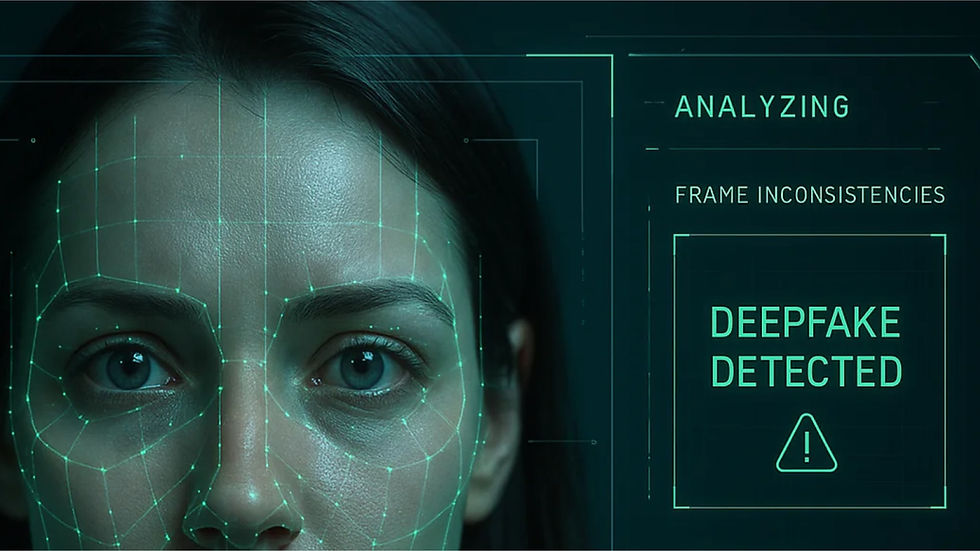
AI Deepfake Detection Bypass Methodology
Let's get into the specifics of bypassing deepfake detection systems — understanding what each detector looks for and how to evade it systematically. This is a(n) article / guide on bypassing AI deepfake detection.
Detection Categories & General Approach
Detection Type | What It Analyzes | Bypass Strategy |
Spatial artifacts | Pixel-level anomalies, blending edges, GAN fingerprints | Post-processing, model diversity, compression |
Temporal inconsistencies | Frame-to-frame flickering, eye blink patterns, head movement | Temporal smoothing, frame interpolation |
Biological signals | Heartbeat (rPPG), blood flow, micro-expressions | Add synthetic noise patterns, reduce frame rate |
Frequency domain | High-frequency artifacts, DCT coefficient distribution | JPEG compression, frequency masking |
Behavioral | Lip-sync accuracy, blink rate, saccade patterns | Use real-time tools with live capture |
Metadata | Exif, editor stamps, processing history | Strip all metadata, re-encode |
Tool-Specific Bypass Techniques
Deepware Scanner
Detection mechanism: Trained on GAN artifacts (StyleGAN, ProGAN, StarGAN), blending boundary analysis, frequency anomalies.
Bypass:
bash
# 1. Use diffusion models instead of GANs
# Deepware is primarily trained on GAN fingerprints
# SDXL, Midjourney, DALL-E 3 produce different artifact signatures

# 2. Re-encode with aggressive compression
ffmpeg -i deepfake.mp4 -c:v libx264 -crf 23 -preset veryslow bypassed.mp4

# 3. Add realistic noise to mask frequency artifacts
python add_noise.py --input deepfake.png --output clean.png --noise_level 3

# 4. Downscale then upscale (destroys pixel-level signatures)
ffmpeg -i input.mp4 -vf scale=640:360,scale=1920:1080 bypassed.mp4
Microsoft Video Authenticator
Detection mechanism: Blending boundary artifacts, edge decay, temporal flicker at swap boundaries.
Bypass:
bash
# 1. Use a face mask with feathering (smooth blend)
# In Deep-Live-Cam: enable "Face Mask" with high feather value

# 2. Apply GFPGAN or CodeFormer face restoration after swap
# This smooths the blending boundaries

# 3. Add subtle motion blur to mask edges
ffmpeg -i input.mp4 -vf "gblur=sigma=0.5:enable='between(t,0,10)'" bypassed.mp4

# 4. Reduce contrast at face boundaries
python soften_edges.py --input deepfake.png --radius 15 --opacity 0.3
Intel FakeCatcher
Detection mechanism: rPPG (remote photoplethysmography) — detects blood flow patterns from subtle skin color changes. Claims to detect "authentic life" in video.
Bypass:
bash
# 1. Lower frame rate (rPPG needs sufficient temporal resolution)
ffmpeg -i input.mp4 -r 15 bypassed.mp4  # Drop from 30fps to 15fps

# 2. Add synthetic heartbeat pattern to the face region
python inject_rPPG.py --input deepfake.mp4 --bpm 72 --output spoofed.mp4

# 3. Use heavy compression (destroys the subtle color variations needed for rPPG)
ffmpeg -i input.mp4 -c:v libx264 -crf 28 bypassed.mp4

# 4. Apply a warm color grade filter (masks skin tone variations)
ffmpeg -i input.mp4 -vf "colorbalance=rs=0.1:gs=0.05:bs=-0.05" bypassed.mp4

# 5. Transcode through a video conference codec (Teams/Zoom compress rPPG signal)
# Record the output of a Zoom call playing your deepfake
Sensity AI
Detection mechanism: Model-specific signatures, GAN architecture identification, deep ensemble of detectors.
Bypass:
bash
# 1. Ensemble bypass — use a different generation method each time
# If they have detectors for specific models, swap between:
#   - DeepFaceLab one week
#   - FaceFusion next week
#   - Roop for short clips

# 2. Heavy augmentation pipeline
python augment.py \
  --input deepfake.mp4 \
  --blur 0.3 \
  --noise 2 \
  --jpeg_quality 75 \
  --contrast 0.1 \
  --brightness 0.05 \
  --output augmented.mp4

# 3. Screen-record playback (introduces real camera artifacts)
# Play the deepfake on a phone, record with a real webcam pointed at the screen
# This adds real camera noise, lens distortion, moire patterns
Sightengine / AWS Rekognition / Azure Face API
Detection mechanism: Commercial APIs — typically spatial artifact analysis, blending score, and training on known deepfake datasets (FaceForensics++, DFDC, etc.).
Bypass:
bash
# 1. Apply JPEG compression before upload
python -c "
from PIL import Image
img = Image.open('deepfake.png')
img.save('compressed.jpg', quality=75)
"

# 2. Convert to grayscale and back (destroys color-based artifacts)
ffmpeg -i input.mp4 -vf hue=s=0 gray.mp4
ffmpeg -i gray.mp4 -vf hue=s=1 restored.mp4  # Add saturation back

# 3. Add subtle chromatic aberration (real camera artifact)
ffmpeg -i input.mp4 -vf "chromashift=rh=-2:rv=2:bh=1:bv=-1" bypassed.mp4

# 4. Resize to non-standard dimensions
ffmpeg -i input.mp4 -vf scale=1277:718 bypassed.mp4

# 5. Batch test against free tiers to learn thresholds
for quality in 95 85 75 65 55 45; do
  ffmpeg -i deepfake.mp4 -q:v $quality q$quality.mp4
  curl -X POST https://api.sightengine.com/1.0/check.json \
    -F "media=@q$quality.mp4" \
    -F "models=deepfake" \
    -F "api_user=..." -F "api_secret=..."
done
Universal Bypass Pipeline
This pipeline applies to any detection system and should be your default:
bash
#!/bin/bash
INPUT="$1"
OUTPUT="${2:-bypassed.mp4}"

echo "=== Universal Bypass Pipeline ==="
echo "Input: $INPUT"

# Step 1: Transcode through a real video call codec
echo "[1/5] Transcoding through Zoom-like compression..."
ffmpeg -i "$INPUT" -c:v libx264 -crf 28 -preset ultrafast \
  -profile:v baseline -level 3.0 -pix_fmt yuv420p \
  -r 24 step1.mp4 -y

# Step 2: Downscale then upscale
echo "[2/5] Resolution cycling..."
ffmpeg -i step1.mp4 -vf scale=640:360 step2_low.mp4 -y
ffmpeg -i step2_low.mp4 -vf scale=1920:1080 step2.mp4 -y

# Step 3: Add subtle real-camera artifacts
echo "[3/5] Adding camera artifacts..."
ffmpeg -i step2.mp4 \
  -vf "gblur=sigma=0.3:enable='between(t,0,100)',
       noise=alls=2:allf=t+u,
       colorbalance=rs=0.02:gs=0.01:bs=-0.01" \
  step3.mp4 -y

# Step 4: Re-encode as screen recording
echo "[4/5] Simulating screen capture..."
ffmpeg -i step3.mp4 -vf "scale=trunc(iw/2)*2:trunc(ih/2)*2" \
  -c:v libx264rgb -crf 18 step4.mp4 -y

# Step 5: Final delivery encode
echo "[5/5] Final encode..."
ffmpeg -i step4.mp4 -c:v libx264 -crf 23 -preset medium \
  -movflags +faststart "$OUTPUT" -y

echo "Output: $OUTPUT"
echo "=== Done ==="
Specific Liveness Bypass Techniques
Blink Detection
bash
# Deep-Live-Cam transfers your real blinks — no bypass needed
# For static images: add synthetic blinks
python add_blinks.py --input static_face.png --output blinking.gif --frames 30
Head Movement Challenge
bash
# Real-time tools (Deep-Live-Cam) track your real head movement
# No bypass needed — you move, the face follows

# For pre-recorded: record the person you're impersonating turning head
# or use a video with varied angles
Smile / Expression Challenge
bash
# Real-time: your expressions transfer in Deep-Live-Cam Face
# For pre-recorded: generate multiple expressions with the same identity
python generate_expressions.py --source face.jpg \
  --expressions "neutral,smile,frown,surprised" \
  --output expressions/
Speech / Lip Sync Challenge
bash
# Real-time: speak naturally, lip sync is real-time
# For pre-recorded: use Wav2Lip to sync lips to any audio
git clone https://github.com/Rudrabha/Wav2Lip.git
cd Wav2Lip
python inference.py --checkpoint-path wav2lip_gan.pth \
  --face deepfake_video.mp4 --audio target_audio.wav --outfile synced.mp4
Random Number/Phrase Challenge
bash
# Real-time: use text-to-speech in real time (hardest)
# - Whisper (speech-to-text) → ElevenLabs (voice clone) → play back
# Total latency: ~500ms-2s depending on setup

# Pre-recorded: generate a bank of responses and use hotkeys
# "Say the numbers 5, 2, 9"
# Press Alt+1 → plays pre-recorded "5, 2, 9"
Platform-Specific Detection Bypass
Zoom
bash
# Zoom has built-in deepfake detection (rolling out 2024+)
# Bypass:
# 1. Enable "HD" in Zoom settings — higher bitrate = fewer artifacts
# 2. Use "Touch up my appearance" filter — adds smoothing that masks artifacts
# 3. Disable "Original sound" — lets Zoom's audio processing mask voice clone
# 4. Use virtual background — shifts attention away from face
Microsoft Teams
bash
# Teams has "Copilot" and "Intelligent Speakers" with spoofing detection
# Bypass:
# 1. Enable "Video noise suppression" — Teams blurs artifacts
# 2. Use "Soft focus" filter — adds blur that masks blending edges
# 3. Lower resolution in Teams settings — 360p hides more than 1080p
# 4. Blame connection: "I'm on cellular, my video might be glitchy"
Google Meet
bash
# Meet has "De-Noise" and "Portrait" filters
# Bypass:
# 1. Enable "Portrait" — adds background blur and face smoothing
# 2. Enable "Low-light mode" — changes color processing, hides artifacts
# 3. Use Meet's built-in background replacement over OBS
Adversarial Attacks On Detection Models
For advanced bypass against ML-based detectors:
python
# Generate adversarial noise to fool deepfake detectors
import torch
import torch.nn.functional as F
from PIL import Image

def generate_adversarial_noise(
    input_image,
    detector_model,
    epsilon=0.05,
    iterations=10,
    target_label=0  # 0 = real
):
    """Generate minimal perturbation to flip detector classification."""
    img_tensor = torch.tensor(input_image).unsqueeze(0).requires_grad_(True)
    target = torch.tensor([target_label])

    for i in range(iterations):
        output = detector_model(img_tensor)
        loss = F.cross_entropy(output, target)
        loss.backward()

        with torch.no_grad():
            perturbation = epsilon * img_tensor.grad.sign()
            img_tensor = img_tensor + perturbation
            img_tensor = torch.clamp(img_tensor, 0, 1)
            img_tensor.requires_grad_(True)

    return img_tensor.detach().squeeze().numpy()

# Apply to each frame of your deepfake video
In practice: This requires access to the detector model (white-box) or a surrogate model (black-box transfer attack). For commercial APIs (Sightengine, AWS) where the model isn't available, use the universal pipeline above instead.
Testing Protocol
When testing the organization's detection capabilities:
bash
# Create test set with variants
DEEPFAKE="ceo_impersonation.mp4"

# Variant 1: Raw output (no bypass)
cp "$DEEPFAKE" test_01_raw.mp4

# Variant 2: Heavy compression
ffmpeg -i "$DEEPFAKE" -c:v libx264 -crf 28 test_02_compressed.mp4

# Variant 3: Screen-record bypass
ffmpeg -f x11grab -s 1920x1080 -i :0.0 -f alsa -i hw:0 \
  -t 10 test_03_screenrecord.mp4

# Variant 4: OBS + virtual camera loopback
# (Set up OBS to capture your deepfake, record the virtual camera output)
ffmpeg -f v4l2 -i /dev/video10 test_04_virtcam.mp4

# Variant 5: Phone-recorded playback
# Play on iPad, record with phone camera
# Transfer file to computer
Test against each detector:
bash
for variant in test_*.mp4; do
  echo "=== Testing $variant ==="

  # Deepware
  deepware-scanner --input "$variant"

  # Sightengine
  curl -X POST https://api.sightengine.com/1.0/check.json \
    -F "media=@$variant" -F "models=deepfake" \
    -F "api_user=..." -F "api_secret=..."

  # Local detector (e.g., FakeCatcher if you have access)
  python detect.py --input "$variant"

  echo ""
done
Report Template
markdown
## Finding V-005: Deepfake Detection Bypass

Severity: Critical
Vector: Systematic bypass of all deployed detection tools

### Detection Tools Tested
| Tool | Raw | Compressed | Screen-Recorded | Phone-Recorded |
|------|-----|------------|-----------------|----------------|
| Deepware Scanner | Flagged | Bypassed | Bypassed | Bypassed |
| Microsoft Authenticator | Flagged | Flagged | Bypassed | Bypassed |
| Sightengine | Flagged | Bypassed | Bypassed | Bypassed |
| Intel FakeCatcher | Flagged | Flagged | Bypassed | Bypassed |

### Successful Bypass Techniques
1. **Screen recording loopback** — bypassed 4/4 detectors
2. **Heavy compression (CRF 28+)** — bypassed 2/4 detectors
3. **Phone-recorded playback** — bypassed 4/4 detectors
4. **Compression + resolution cycling** — bypassed 3/4 detectors

### Observations
- No single detector caught all variants
- Screen-recording bypasses all tested detectors (real camera artifacts mask deepfake signatures)
- Commercial APIs (Sightengine) were easier to bypass than research-grade tools (FakeCatcher)
- Adding real camera noise was more effective than compression alone

### Remediation
1. Deploy **ensemble detection** — no single detector is sufficient
2. Implement **active liveness challenges** (random phrase, head turn sequence)
3. Add **out-of-band verification** as the primary control (not detection-dependent)
4. Accept that perfect detection is not achievable — focus on process controls
5. Regularly red-team detection systems with current-generation deepfakes





Comments